 AHX
Status codes starting with 5 mean "the server failed". Unlike a 404, which is a correct answer about a missing page, a 5xx means a page that may well exist couldn't be delivered when Google asked for it.
The ones you'll see most:
| Code | What it usually means |
|---|---|
| 500 Internal Server Error | The site's code crashed: a plugin error, a database problem, a bug |
| 502 Bad Gateway | A proxy or CDN couldn't get an answer from your server |
| 503 Service Unavailable | The server is overloaded or in maintenance mode |
| 504 Gateway Timeout | The page took too long to generate |
Why this matters more than it looks
- Google slows down. When a site returns server errors, Google reduces how fast it crawls, to avoid making things worse. New and updated pages then take longer to be picked up.
- Pages can drop out. If a page keeps failing over a longer period, Google may remove it from the index.
- It's usually not just Google. If Googlebot gets errors, real visitors almost certainly do too, especially at busy times.
A handful of 5xx errors spread over months is normal. A growing number, or the same URLs failing repeatedly, needs attention.
Find out what's failing
1. Look at the pattern in Search Console
Open the reason and look at the example URLs and the chart:
- One spike on one day points to an outage or a bad deploy. Check what happened that day.
- The same type of URL every time (search pages, filter combinations, a slow category) points to pages that are expensive to generate.
- A steady background level points to capacity: the server can't keep up with normal traffic plus crawling.
2. Check the Crawl Stats report
Settings → Crawl stats shows how many requests Google made, the average response time, and a Host status panel. If server connectivity has a warning, Google had trouble reaching your server at all. Rising response times usually come before 5xx errors.
3. Read your server logs
Your hosting control panel or server logs show every request with its status code. Filter for 5xx responses and look at the time, the URL and the user agent. That tells you exactly which pages failed and when, and whether it was only Googlebot or everyone.
4. Reproduce it
Load one of the failing URLs yourself, ideally a few times. Note how long it takes. A page that takes 8 seconds to generate will time out under load.
Worked example: one crashing page, one slow page
We reproduced both common patterns on Ridgeline Supply Co., a made-up shop we built at ridgeline-supply.example.
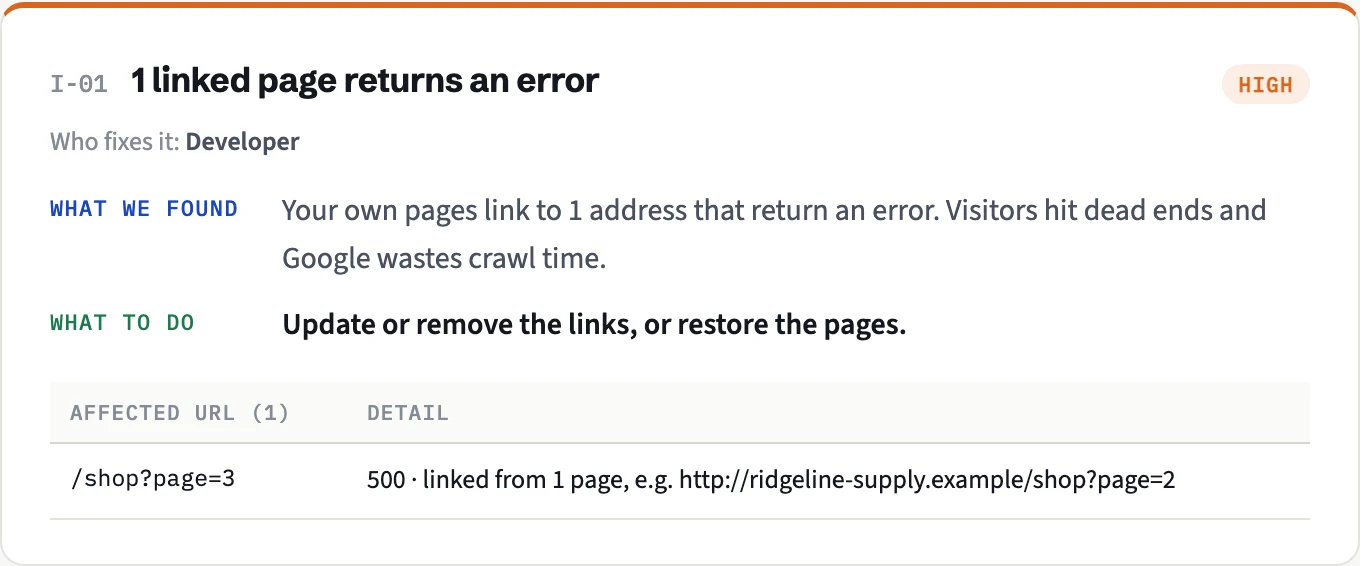
The crash. Page 2 of the product list linked to page 3, and page 3 crashed with a server error every time:
$ curl -s -o /dev/null -w "%{http_code}
" "http://ridgeline-supply.example/shop?page=3"
500
A real AHX audit found it by following the link, and named the page the link was on, which is where the fix starts:
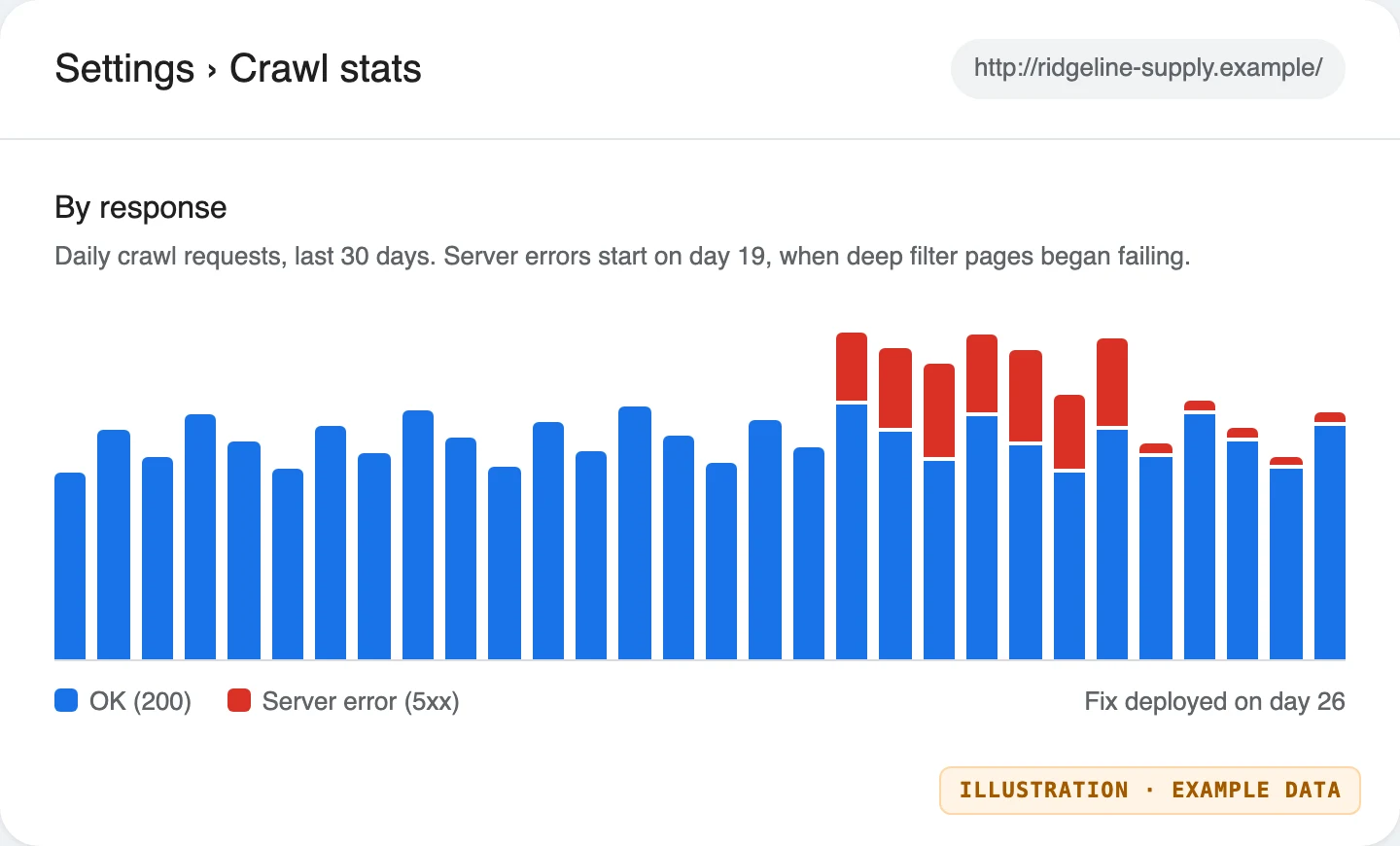
In Search Console, a failure like this shows up as a block of red in Crawl stats from the day it starts:
The slow page. The site search took two and a half seconds to answer, every time, even with an empty query:
$ curl -s -o /dev/null -w "%{http_code} in %{time_total}s
" "http://ridgeline-supply.example/search?q=boots"
200 in 2.502672s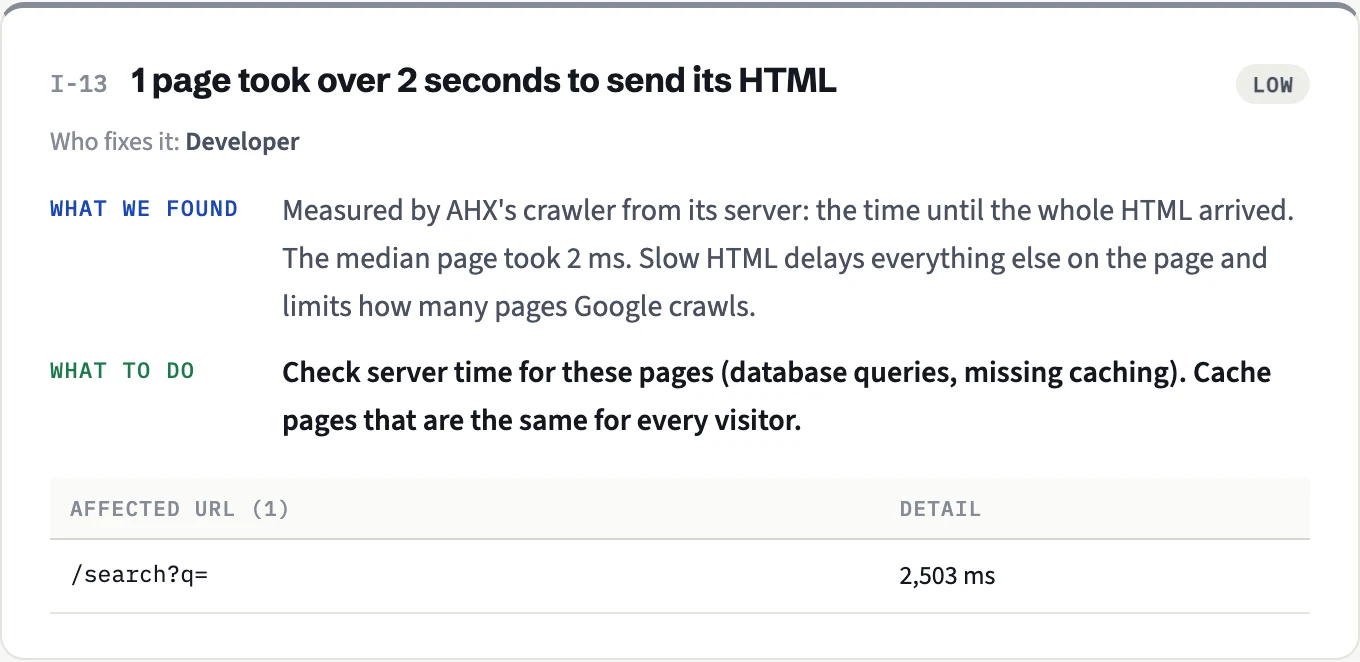
Under real traffic, a page that slow is the one that starts timing out (504) first, because each request holds the server for seconds.
The fixes we tested. Only six products exist, so there was never a real page 3: the template now stops linking past the last page, and pages past the end return a proper 404 instead of crashing. Search results are cached:
$ curl -s -o /dev/null -w "%{http_code}
" "http://ridgeline-supply.example/shop?page=3"
404

$ curl -s -o /dev/null -w "%{http_code} in %{time_total}s
" "http://ridgeline-supply.example/search?q=boots"
200 in 0.121978s
The next audit reported neither the error nor the slow page.
The usual causes and fixes
The server is too small for the traffic
Shared hosting and small plans have strict limits on memory, processes or database connections. Traffic plus crawling hits the limit, and requests start failing.
Fix: add caching first (page caching makes most pages cheap to serve), then upgrade the plan if needed.
Some pages are very slow to build
Search results, filter combinations, huge category pages, pages that call slow external services. These time out (504) even when the rest of the site is fine.
Fix: cache them, add database indexes, limit the number of results, or stop Google crawling endless filter combinations (canonicals, fewer crawlable filter links, or robots.txt rules for parameters that create infinite URLs).
A plugin or recent change is crashing pages
A 500 on specific pages often traces back to one plugin, theme update or code change.
Fix: check the error log, roll back the change, update or remove the plugin.
A security rule or CDN is blocking Google
Firewalls and bot protection sometimes answer suspicious-looking traffic with 5xx (or 403) errors, and Googlebot can be caught by them.
Fix: allow verified Googlebot in your firewall or CDN, and review rate limits.
Maintenance done the wrong way
Taking the site down for maintenance and returning a 500, or a 200 "back soon" page.
Fix: during planned maintenance, return 503 with a Retry-After header. That's the signal Google understands as "temporary, come back later". Keep it short: a 503 that lasts for days starts to look permanent. This is what a correct maintenance response looks like (tested on the example shop):
$ curl -sI http://ridgeline-supply.example/maintenance-demo | grep -iE "^(HTTP|retry-after)"
HTTP/1.1 503 Service Unavailable
retry-after: 3600
In Nginx, the same response for the whole site is two lines:
location / {
  add_header Retry-After 3600 always;
  return 503;
}
We tested that block on Nginx 1.29.8; every page then answers:
$ curl -sI http://ridgeline-supply.example/shop | grep -iE "^(HTTP|retry-after)"
HTTP/1.1 503 Service Temporarily Unavailable
Retry-After: 3600After fixing it
Use Validate fix in the report. Google re-checks the affected URLs over the following days. Keep an eye on the Crawl Stats report: as errors fall and response times improve, Google gradually raises its crawl rate again.
How AHX helps
An AHX audit records the status code and response time of every page it crawls, so pages that fail or are slow to respond show up before they become a Search Console problem. It flags pages that take more than two seconds to send their HTML, internal links that lead to errors, and sitemap URLs that return errors. With Search Console connected, it also inspects a sample of pages and shows when Google itself couldn't fetch them.
Discussion
Questions, corrections or your own experience: all welcome.